The 5 Blocks Every Deal Room Needs (And the 9 You Don't)
A minimum-viable structure for buyer-facing deal rooms — and the blocks teams add that don't move the needle.
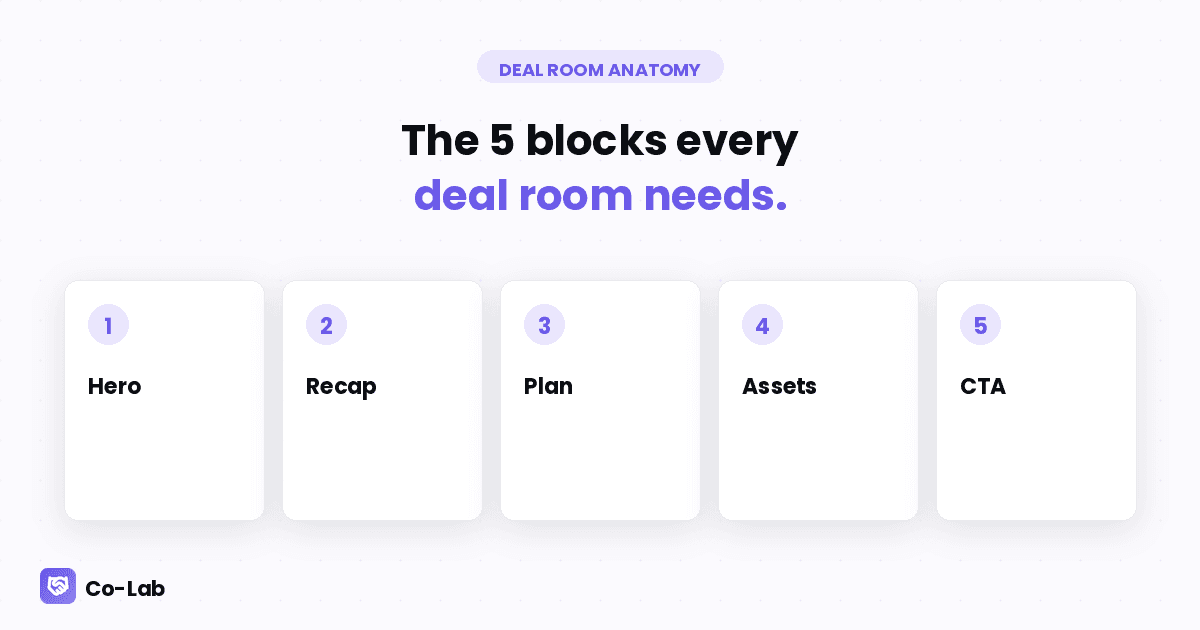
When teams build their first deal room, the instinct is to over-pack it. Hero, welcome, recap, asset grid, pricing, FAQ, team, testimonials, demo video, ROI calculator, comparison chart, integrations, security, references...
This is the same instinct that produced the 60-slide sales deck. It's wrong for the same reason. The buyer doesn't want everything. They want the right thing, fast.
Here's what the 80th-percentile-converting deal room actually looks like, structurally.
The 5 blocks that matter
1. Hero
What it is: the welcome moment. Your logo, the buyer's company name, a one-line value statement specific to their situation.
Why it matters: it's the first impression. The buyer should know, in 2 seconds, that this room was built for them and not copy-pasted.
Template:
Acme Corp × [Your Company] Building [the specific outcome they care about], starting Q2.
Customization burden: 30 seconds per deal. AI handles 80% of it from the call transcript.
2. Recap (rich text)
What it is: a 200-word summary of what was discussed on the discovery call.
Why it matters: shows the buyer you listened. Becomes the artifact your champion forwards to their boss to explain "why we're talking to these people."
Template:
What we covered on our call [Buyer name] is [stated pain]. The current setup costs [number] per [unit] in [resource]. We discussed how Co-Lab would [specific outcome] by [specific mechanism]. Next milestone: [specific decision].
Customization burden: AI drafts it from the transcript. AE edits in 2 minutes.
3. Plan (mutual action plan)
What it is: a co-edited timeline of what happens next, with named owners on both sides.
Why it matters: this is the artifact that moves the deal. Without it, deals drift. With it, both sides have a shared accountability tool.
Template:
Step Owner Due Status Technical eval kickoff [Buyer's tech lead] [date] Open Pricing approval (CFO) [Buyer's CFO] [date] Open Security review [Your team] [date] In progress Contract review [Buyer's legal] [date] Open
Customization burden: AI seeds it from the call. Buyer + AE adjust dates collaboratively.
4. Assets (asset grid)
What it is: 3-5 supporting documents — case study, ROI one-pager, security white paper, integration overview, pricing sheet.
Why it matters: the technical and CFO contacts will scan these on their own time. Without them, your champion has to recapitulate every detail in their internal pitches.
The discipline: 3-5 assets, not 12. Pick the ones the specific buyer is most likely to need based on what they raised on the call. Skip the rest.
Customization burden: 1-2 minutes to swap in the right case study from your library.
5. CTA
What it is: a clear next-step button or link. "Book your demo," "Send the contract," "Schedule the technical eval."
Why it matters: the deal room without a CTA is a brochure. With a CTA, it's a sales tool.
Template (depends on stage):
Ready when you are. [Book the next step →]
Customization burden: zero. Same CTA per stage; swap when the deal advances.
That's it. 5 blocks. That's a complete deal room.
The 9 blocks teams add that don't move deals
1. The "About us" block
The buyer doesn't want your company history. They want their problem solved. Cut.
2. The "Team bios" block
Useful in some renewal contexts. In a new sale, the buyer wants to talk to one person — their AE. The other names are noise. Cut.
3. The "Featured testimonials" block
Logo soup. Useful as proof, but if you're going to include it, one strong testimonial > five logos. Trim.
4. The "Comparison chart" block
"How we compare to [Competitor]." This signals defensiveness. Buyers see it as a yellow flag. Replace with a single line in the recap that addresses the competitor head-on.
5. The full-deck embed
The deck you presented on the call. Now it's in the deal room as 25 scrolling slides. The buyer scrolls 3 and bounces. Embed as a downloadable PDF instead.
6. The auto-generated FAQ
"Frequently Asked Questions" that nobody asked. Remove.
7. The video-first hero
A 90-second autoplay video at the top of the page. Buyers in offices have audio off. They tap past. Use the video as a separate asset, not as the hero.
8. The custom ROI calculator
The buyer doesn't want to do math. The buyer wants you to have done it for them. Replace with a one-line "based on your team size, expected savings: $X" inside the recap.
9. The "Schedule a follow-up" calendar embed
You have a CTA. The CTA links to your calendar. You don't need a calendar embed and a CTA. Pick one. (CTA wins — calendar embeds make the page slow.)
Why fewer blocks wins
Two reasons:
Buyer attention is a finite resource. Every block competes for the same 3-5 minutes the buyer will spend in the deal room. Adding a 6th block means each of the first 5 gets less attention.
Maintenance scales with block count. You'll customize a 5-block deal room per deal. You will not customize a 14-block deal room per deal. The 14-block version becomes a generic template that every buyer sees, which defeats the purpose.
The teams winning at deal rooms ship fewer blocks per pod, more pods per quarter, with deeper customization on each.
What this means for your team
If your team is already using deal rooms, audit the block count. If it's above 8, you're over-building.
If your team is just starting with deal rooms, start with the 5 above. Get to 50 deals' worth of data before adding a 6th block. Almost always, you'll find you don't need to.
The discipline is the product. Deal rooms aren't a tool — they're a habit of restraint.
Want a deal room template with just the 5 blocks? Co-Lab ships it as the default. Free at colabapp.ai, code SALES for 3 months on us.
More from the blog
Keep reading.
The Death of the Email-Deck-Loom-Spreadsheet Cycle
Why the standard B2B sales follow-up is the worst buyer experience in software, and what's replacing it.
How to Close a Deal Without Another Sync Call
Three deal-room patterns that move late-stage deals while you sleep.
Deal Rooms vs Sales Decks: When to Use Which
A practical decision guide for sales leaders who've been told "decks are dead" but still need them sometimes.